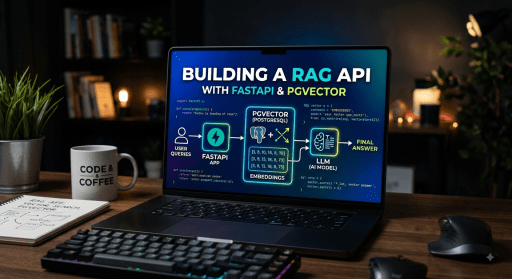
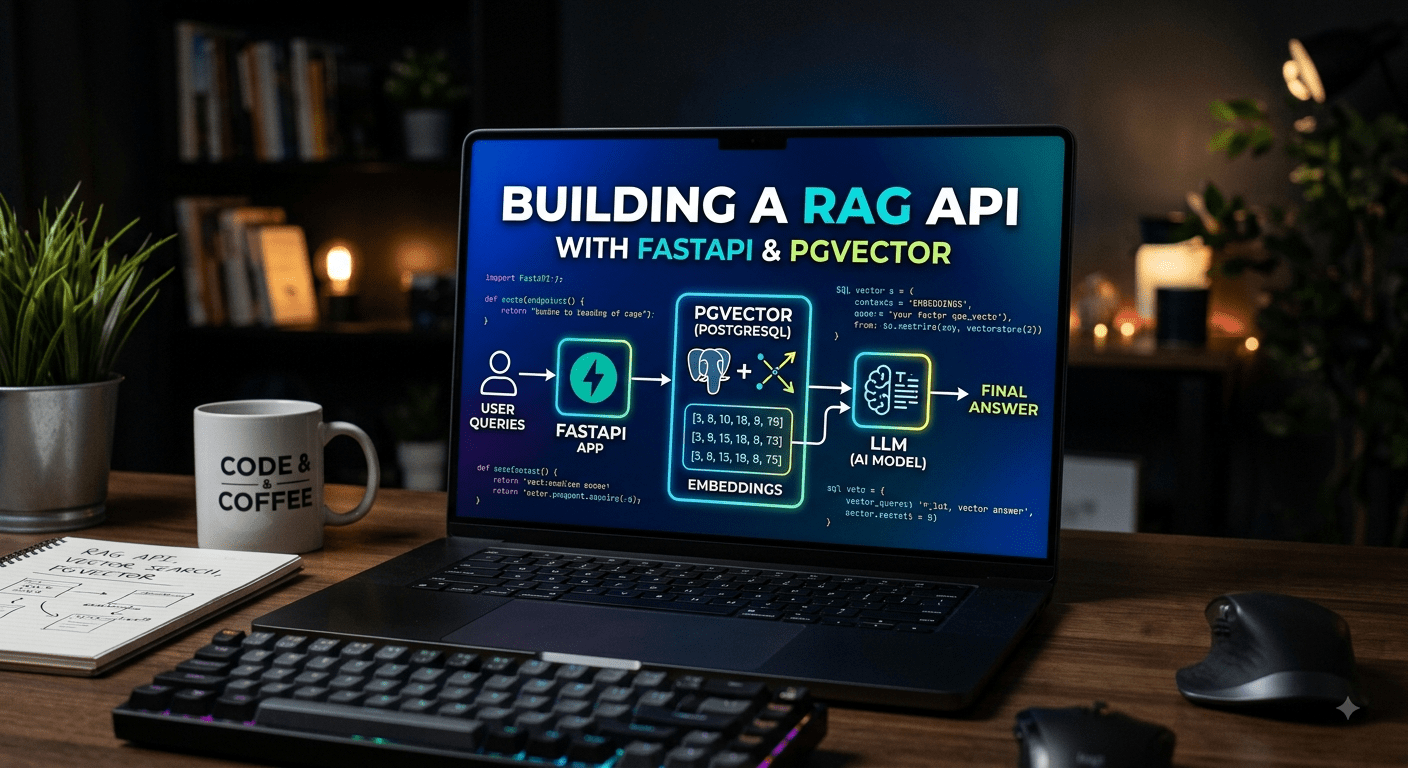

Retrieval Augmented Generation (RAG) combines the power of large language models with external knowledge retrieval. Instead of relying solely on an LLM’s training data, RAG fetches relevant documents from your database and includes them in the prompt context.
In this tutorial, you’ll build a complete RAG API using:
- FastAPI – High-performance Python web framework
- PostgreSQL + pgvector – Vector similarity search
- OpenAI embeddings – Document and query embedding generation
The result is a production-ready API that can ingest documents, find semantically relevant content, and return contextual answers.
How RAG Works
A RAG pipeline follows three steps:
- Index – Split documents into chunks and generate vector embeddings
- Retrieve – Find the most relevant chunks using similarity search
- Generate – Pass retrieved chunks as context to an LLM for answering
This approach grounds LLM responses in your actual data, reducing hallucinations and enabling domain-specific knowledge.
Project Setup
Create the project structure:
mkdir rag-api && cd rag-api
python -m venv venv
source venv/bin/activate
Install dependencies:
pip install fastapi uvicorn asyncpg psycopg2-binary openai pgvector pydantic-settingsDatabase Schema with pgvector
Enable the pgvector extension and create the documents table:
CREATE EXTENSION IF NOT EXISTS vector;
CREATE TABLE documents (
    id SERIAL PRIMARY KEY,
    content TEXT NOT NULL,
    metadata JSONB DEFAULT '{}',
    embedding vector(1536),
    created_at TIMESTAMP DEFAULT NOW()
);
CREATE INDEX ON documents USING ivfflat (embedding vector_cosine_ops)
    WITH (lists = 100);
Document Ingestion
When ingesting documents, we split them into chunks and generate embeddings:
import os
from openai import OpenAI
from pgvector.asyncpg import register_vector
client = OpenAI(api_key=os.getenv("OPENAI_API_KEY"))
async def ingest_document(content: str, metadata: dict = None) -> int:
    chunks = split_text(content, max_length=500, overlap=50)

    async with pool.acquire() as conn:
        await register_vector(conn)

        for chunk in chunks:
            response = client.embeddings.create(
                model="text-embedding-3-small",
                input=chunk
            )
            embedding = response.data[0].embedding

            await conn.execute(
                "INSERT INTO documents (content, embedding, metadata) VALUES ($1, $2::vector, $3)",
                chunk,
                str(embedding),
                metadata or {}
            )

    return len(chunks)
Query Pipeline
The query pipeline converts user questions into embeddings and finds similar chunks:
async def query_documents(question: str, top_k: int = 5) -> list[dict]:
    response = client.embeddings.create(
        model="text-embedding-3-small",
        input=question
    )
    query_embedding = response.data[0].embedding

    async with pool.acquire() as conn:
        await register_vector(conn)

        rows = await conn.fetch(
            """
            SELECT content, metadata, 1 - (embedding <=> $1::vector) as similarity
            FROM documents
            ORDER BY embedding <=> $1::vector
            LIMIT $2
            """,
            str(query_embedding),
            top_k
        )

    return [{"content": r["content"], "metadata": r["metadata"], "similarity": r["similarity"]} for r in rows]
FastAPI Endpoints
Create the main application with three endpoints:
from fastapi import FastAPI
from pydantic import BaseModel
from contextlib import asynccontextmanager
class IngestRequest(BaseModel):
    content: str
    metadata: dict = {}
class QueryRequest(BaseModel):
    question: str
    top_k: int = 5
@asynccontextmanager
async def lifespan(app: FastAPI):
    global pool
    pool = await asyncpg.create_pool(dsn=os.getenv("DATABASE_URL"))
    yield
    await pool.close()
app = FastAPI(title="RAG API", lifespan=lifespan)
@app.post("/ingest")
async def ingest(req: IngestRequest):
    num_chunks = await ingest_document(req.content, req.metadata)
    return {"status": "ok", "chunks_created": num_chunks}
@app.post("/query")
async def query(req: QueryRequest):
    results = await query_documents(req.question, req.top_k)
    context = "\n\n".join([r["content"] for r in results])
    answer = generate_answer(req.question, context)
    return {"answer": answer, "sources": results}
Running the Application
Start PostgreSQL with pgvector:
docker run -d \
  --name rag-postgres \
  -e POSTGRES_PASSWORD=postgres \
  -e POSTGRES_DB=rag_db \
  -p 5432:5432 \
  pgvector/pgvector:pg16
Run the API:
uvicorn app.main:app --reload --host 0.0.0.0 --port 8000Production Considerations
- Connection pooling – Use asyncpg.create_pool() with appropriate min/max connections
- Batch embeddings – OpenAI supports batching up to 2048 texts per request
- Chunk size – Experiment with 200-1000 tokens per chunk based on your data
- Metadata filtering – Add WHERE clauses to filter by source, date, or category
- Rate limiting – Implement rate limits to control embedding API costs
Conclusion
You now have a working RAG API with FastAPI and PostgreSQL pgvector. This foundation supports document ingestion with automatic chunking, semantic vector search, context-aware LLM responses, and a production-ready async architecture.