
Table of Contents
- What Is Async Rust?
- Why Asynchronous Programming Matters in Rust
- Sync vs. Async: A Mental Model
- The
FutureTrait — The Heart of Async Rust - Understanding
async/awaitSyntax - Async Runtimes: Tokio, async-std, and smol
- Getting Started with Tokio — A Hands-On Walkthrough
- Concurrency Primitives:
join!,select!, and Spawning Tasks - Pinning in Async Rust — What It Is and Why You Need It
- Async Streams and Iterators
- Error Handling in Async Rust
- Shared State and Synchronization in Async Code
- Common Pitfalls and Anti-Patterns
- Performance: Zero-Cost Futures and Benchmarks
- Async Traits
- Real-World Example: Building an Async Web Scraper
- Async Rust vs. Go Goroutines vs. Node.js
- Best Practices for Production Async Rust
- Frequently Asked Questions (FAQ)
- Conclusion
1. What Is Async Rust?
Async Rust refers to Rust’s built-in language support and ecosystem for writing asynchronous, non-blocking programs. At its core, it lets you write code that can pause execution while waiting for I/O (network requests, file reads, timers) and resume later — all without blocking the underlying operating-system thread.
Unlike languages such as JavaScript or Python, Rust does not ship with a built-in async runtime. Instead, Rust provides:
- The
asynckeyword to define asynchronous functions and blocks. - The
awaitkeyword to yield control until aFutureresolves. - The
Futuretrait in the standard library (std::future::Future).
Everything else — scheduling, I/O drivers, timers — is delegated to third-party runtimes such as Tokio, async-std, or smol.
Key takeaway: Async Rust gives you zero-cost abstractions for concurrency. The compiler transforms
async/awaitcode into state machines at compile time, with no garbage collector and no hidden allocations.
2. Why Asynchronous Programming Matters in Rust
Rust already has excellent OS-thread support via std::thread. So why do we need async?
| Factor | OS Threads | Async Tasks |
|---|---|---|
| Memory overhead | ~8 MB stack per thread (default on Linux) | ~few hundred bytes per task |
| Context-switch cost | Kernel-mode context switch | User-space state-machine advance |
| Scalability | Thousands of threads become expensive | Millions of tasks are feasible |
| Use case | CPU-bound parallelism | I/O-bound concurrency |
If you’re building a web server handling 100,000 concurrent connections, spawning an OS thread per connection is impractical. Async Rust lets you multiplex those connections onto a small thread pool efficiently.
Real-world adoption
- Cloudflare uses async Rust for their edge proxy (Pingora).
- Discord rewrote their read-state service from Go to async Rust, reducing tail latencies.
- AWS uses Tokio in their Firecracker microVM manager and the AWS SDK for Rust.
3. Sync vs. Async: A Mental Model
Consider reading a file:
Synchronous (blocking)
use std::fs;

fn read_config() -> String {
    fs::read_to_string("config.yml").unwrap()
}

fn main() {
    println!("{:?}", read_config());
}
The thread sleeps while the kernel performs I/O.
Asynchronous (non-blocking)
use tokio::fs;

async fn read_config() -> String {
    fs::read_to_string("src/config.yml").await.expect("Failed to read file")
}

#[tokio::main]
async fn main() {
    let content = read_config().await;
    println!("{:?}", content);
}
The .await point is where the function suspends. The runtime can use the thread to run other tasks while this file read is in flight.
Think of it like a restaurant kitchen:
- Synchronous: One chef stands at the oven watching the bread bake. They do nothing else until it’s done.
- Asynchronous: The chef puts bread in the oven, sets a timer, and goes to prepare salads. When the timer dings, they come back.
4. The Future Trait — The Heart of Async Rust
Every async fn or async {} block in Rust returns a type that implements std::future::Future. Here’s the trait definition (simplified):
pub trait Future {
    type Output;

    fn poll(self: Pin<&mut Self>, cx: &mut Context<'_>) -> Poll<Self::Output>;
}

pub enum Poll<T> {
    Ready(T),
    Pending,
}
How polling works
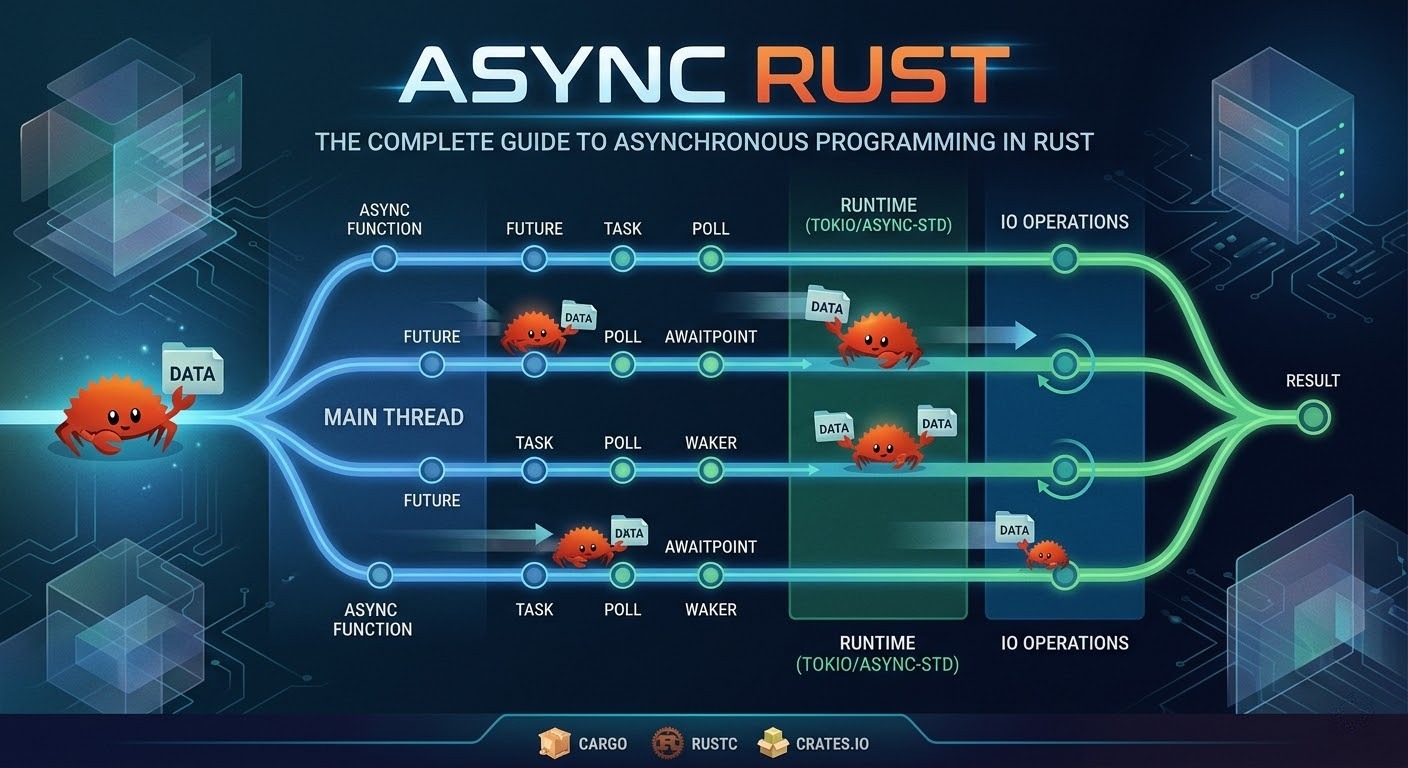
- The runtime calls
poll()on a future. - If the result is available,
poll()returnsPoll::Ready(value). - If the result is not available yet, it returns
Poll::Pendingand registers a waker via theContext. - When the underlying I/O completes, the waker is notified, and the runtime calls
poll()again.
This is a pull-based model (the runtime pulls progress from futures) as opposed to a push-based model (like callbacks).
Implementing a Future manually
use std::future::Future;
use std::pin::Pin;
use std::task::{Context, Poll};
use std::time::{Duration, Instant};
struct Delay {
    when: Instant,
}
impl Delay {
    fn new(duration: Duration) -> Self {
        Delay {
            when: Instant::now() + duration,
        }
    }
}
impl Future for Delay {
    type Output = ();
    fn poll(self: Pin<&mut Self>, cx: &mut Context<'_>) -> Poll<Self::Output> {
        if Instant::now() >= self.when {
            Poll::Ready(())
        } else {
            // Schedule a wake-up (in production, you'd register with a timer wheel)
            let waker = cx.waker().clone();
            let when = self.when;
            std::thread::spawn(move || {
                let now = Instant::now();
                if now < when {
                    std::thread::sleep(when - now);
                }
                waker.wake();
            });
            Poll::Pending
        }
    }
}
Note: This is educational code. Production-quality timers (like tokio::time::sleep) use efficient timer wheels, not thread::spawn.
5. Understanding async / await Syntax
async fn
async fn fetch_data(url: &str) -> Result<String, reqwest::Error> {
    let response = reqwest::get(url).await?;
    let body = response.text().await?;
    Ok(body)
}
The compiler transforms this into a state machine — a struct with variants for each .await suspension point. The returned type is impl Future<Output = Result<String, reqwest::Error>>.
async blocks
You can create futures inline with async {}:
let future = async {
    let data = fetch_data("https://api.example.com/data").await.unwrap();
    println!("Received: {}", data);
};
This future does nothing until it’s .awaited or spawned onto a runtime. Futures in Rust are lazy.
Key rule: Futures are lazy
async fn hello() {
    println!("Hello, async world!");
}

#[tokio::main]
async fn main() {
    let fut = hello(); // Nothing is printed!
    // ...
    fut.await; // NOW "Hello, async world!" is printed
}
This is fundamentally different from JavaScript, where calling an async function immediately starts execution up to the first await.
Lifetime of async functions
A common stumbling block is that async fn captures references by borrowing:
// This won't compile if the borrow doesn't live long enough
async fn process(data: &str) -> usize {
    // The future borrows `data` for its entire lifetime
    tokio::time::sleep(Duration::from_secs(1)).await;
    data.len()
}
If you need to spawn a task (which requires 'static), you must own the data:
fn spawn_process(data: String) {
    tokio::spawn(async move {
        tokio::time::sleep(Duration::from_secs(1)).await;
        println!("Length: {}", data.len());
    });
}
6. Async Runtimes: Tokio, async-std, and smol
Since Rust’s standard library provides only the Future trait — not an executor — you need a runtime. Here are the major options:
6.1 Tokio
Tokio is the most popular and battle-tested async runtime for Rust.
# Cargo.toml
[dependencies]
tokio = { version = "1", features = ["full"] }
Features:
- Multi-threaded, work-stealing scheduler
- Async TCP/UDP, file I/O, signals, timers
tokio::sync(Mutex, RwLock, channels, Semaphore)- Tracing integration
- Widely adopted (reqwest, tonic, axum, hyper)
6.2 async-std
async-std mirrors the std library’s API but in an async context.
[dependencies]
async-std = { version = "1", features = ["attributes"] }
use async_std::fs;
use async_std::task;
#[async_std::main]
async fn main() {
let contents = fs::read_to_string("hello.txt").await.unwrap();
println!("{}", contents);
}6.3 smol
smol is a minimal, lightweight runtime.
[dependencies]
smol = "2"
fn main() {
smol::block_on(async {
println!("Hello from smol!");
});
}Comparison table
| Feature | Tokio | async-std | smol |
|---|---|---|---|
| Maturity | ★★★★★ | ★★★★ | ★★★ |
| Ecosystem | Largest | Moderate | Small |
| Multi-threaded | Yes (work-stealing) | Yes | Yes (via async-executor) |
| Binary size | Larger | Medium | Smallest |
| API style | Tokio-specific | Mirrors std | Minimal, composable |
Recommendation: For most production workloads, Tokio is the default choice due to its ecosystem, documentation, and performance.
7. Getting Started with Tokio — A Hands-On Walkthrough
Step 1: Set up the project
Bashcargo new async-demo
cd async-demo
Add to Cargo.toml:
[dependencies]
tokio = { version = "1", features = ["full"] }
reqwest = { version = "0.12", features = ["json"] }
serde = { version = "1", features = ["derive"] }
serde_json = "1"
Step 2: Write an async main
use serde::Deserialize;

#[derive(Debug, Deserialize)]
struct Todo {
    #[serde(rename = "userId")]
    user_id: u32,
    id: u32,
    title: String,
    completed: bool,
}

#[tokio::main]
async fn main() -> Result<(), Box<dyn std::error::Error>> {
    let url = "https://jsonplaceholder.typicode.com/todos/1";

    let todo: Todo = reqwest::get(url)
        .await?
        .json()
        .await?;

    println!("{:#?}", todo);

    Ok(())
}
Step 3: Run it
cargo runOutput:
Todo {
    user_id: 1,
    id: 1,
    title: "delectus aut autem",
    completed: false,
}
Understanding #[tokio::main]
The #[tokio::main] macro transforms your async fn main() into:
fn main() {
    tokio::runtime::Builder::new_multi_thread()
        .enable_all()
        .build()
        .unwrap()
        .block_on(async {
            // your async main body here
        })
}
You can customize the runtime:
#[tokio::main(flavor = "current_thread")] // single-threaded runtime
async fn main() {
    // ...
}
8. Concurrency Primitives: join!, select!, and Spawning Tasks
8.1 tokio::join! — Run futures concurrently
use tokio::time::{sleep, Duration};

async fn fetch_user() -> String {
    sleep(Duration::from_secs(2)).await;
    "Alice".to_string()
}

async fn fetch_orders() -> Vec<String> {
    sleep(Duration::from_secs(3)).await;
    vec!["Order-1".into(), "Order-2".into()]
}

#[tokio::main]
async fn main() {
    // Both futures run concurrently — total time ~3s, not ~5s
    let (user, orders) = tokio::join!(fetch_user(), fetch_orders());

    println!("User: {}", user);
    println!("Orders: {:?}", orders);
}
Important:
join!runs futures concurrently on the same task (not in parallel on different threads). They are multiplexed by the runtime.
8.2 tokio::spawn — Run a future on a new task
#[tokio::main]
async fn main() {
    let handle = tokio::spawn(async {
        // This runs on a separate task (potentially a different thread)
        expensive_computation().await
    });

    // Do other work...

    let result = handle.await.unwrap(); // JoinHandle<T>
    println!("Result: {}", result);
}

async fn expensive_computation() -> u64 {
    tokio::time::sleep(Duration::from_secs(1)).await;
    42
}
Spawned tasks must be 'static, meaning they can’t borrow from the calling scope. Use move closures or Arc for shared data.
8.3 tokio::select! — Race multiple futures
use tokio::time::{sleep, Duration};

#[tokio::main]
async fn main() {
    tokio::select! {
        _ = sleep(Duration::from_secs(5)) => {
            println!("5 seconds elapsed");
        }
        result = fetch_from_primary_db() => {
            println!("Got result from primary: {}", result);
        }
        result = fetch_from_replica_db() => {
            println!("Got result from replica: {}", result);
        }
    }
    // Only the FIRST future to complete wins.
    // The others are DROPPED (cancelled).
}

async fn fetch_from_primary_db() -> String {
    sleep(Duration::from_secs(2)).await;
    "primary-data".into()
}

async fn fetch_from_replica_db() -> String {
    sleep(Duration::from_secs(3)).await;
    "replica-data".into()
}
8.4 Running a dynamic number of futures
use futures::future::join_all;

#[tokio::main]
async fn main() {
    let urls = vec![
        "https://httpbin.org/delay/1",
        "https://httpbin.org/delay/2",
        "https://httpbin.org/delay/3",
    ];

    let futures: Vec<_> = urls.iter()
        .map(|url| reqwest::get(*url))
        .collect();

    let results = join_all(futures).await;

    for (url, result) in urls.iter().zip(results) {
        match result {
            Ok(resp) => println!("{}: {}", url, resp.status()),
            Err(e) => eprintln!("{}: Error - {}", url, e),
        }
    }
}
Or use FuturesUnordered for better efficiency when you don’t need ordered results:
use futures::stream::FuturesUnordered;
use futures::StreamExt;

#[tokio::main]
async fn main() {
    let urls = vec![
        "https://httpbin.org/delay/1",
        "https://httpbin.org/delay/2",
        "https://httpbin.org/delay/3",
    ];

    let mut futures = FuturesUnordered::new();
    for url in &urls {
        futures.push(async move {
            let resp = reqwest::get(*url).await;
            (*url, resp)
        });
    }

    while let Some((url, result)) = futures.next().await {
        match result {
            Ok(resp) => println!("{}: {}", url, resp.status()),
            Err(e) => eprintln!("{}: Error - {}", url, e),
        }
    }
}
9. Pinning in Async Rust — What It Is and Why You Need It
The problem: Self-referential structs
When the compiler transforms an async fn into a state machine, the resulting struct may contain self-references — fields that point to other fields within the same struct. If the struct is moved in memory, those pointers become dangling.
Rustasync fn example() {
    let data = vec![1, 2, 3];
    let reference = &data; // This reference is stored in the state machine

    some_async_operation().await; // Suspension point

    println!("{:?}", reference); // Used after suspension
}
After the .await, the state machine stores both data and reference. If the state machine is moved in memory, reference would point to invalid memory.
The solution: Pin<T>
Pin<P> is a wrapper that guarantees the pointed-to value won’t be moved.
Rustuse std::pin::Pin;
use std::future::Future;
// Most of the time you interact with Pin via Box::pin
let future: Pin<Box<dyn Future<Output = ()>>> = Box::pin(async {
    println!("I'm pinned!");
});
When you need to pin manually
Rustuse tokio::pin;
async fn my_function() {
    let future = some_async_work();

    // Pin it to the stack so we can use it in select!
    tokio::pin!(future);

    tokio::select! {
        result = &mut future => {
            println!("Work completed: {:?}", result);
        }
        _ = tokio::time::sleep(Duration::from_secs(5)) => {
            println!("Timeout!");
        }
    }
}
Unpin trait
Most simple types are Unpin, meaning they’re safe to move even when pinned. Async state machines generated by the compiler are typically !Unpin (not Unpin).
// This works because i32 is Unpin
let mut x = 42i32;
let pinned = Pin::new(&mut x); // Fine!

// For !Unpin types, you need Box::pin or pin! macro
let future = async { 42 };
// Pin::new(&mut future); // ERROR: future is !Unpin
let pinned = Box::pin(future); // OK
In practice: You rarely need to think about pinning unless you’re implementing
Futuremanually, storing futures in structs, or usingselect!.
10. Async Streams and Iterators
A Stream is the async equivalent of an Iterator. Instead of next() -> Option<T>, it has poll_next() -> Poll<Option<T>>.
Using the tokio-stream crate
toml[dependencies]
tokio-stream = "0.1"
use tokio_stream::{self as stream, StreamExt};
use tokio::time::{interval, Duration};
#[tokio::main]
async fn main() {
// Create a stream from an iterator
let mut stream = stream::iter(vec![1, 2, 3, 4, 5]);
while let Some(value) = stream.next().await {
println!("Got: {}", value);
}
// Create a stream from a timer
let mut interval_stream = tokio_stream::wrappers::IntervalStream::new(
interval(Duration::from_secs(1))
);
let mut count = 0;
while let Some(_tick) = interval_stream.next().await {
count += 1;
println!("Tick #{}", count);
if count >= 5 {
break;
}
}
}Creating custom async streams with async-stream
toml[dependencies]
async-stream = "0.3"
use async_stream::stream;
use tokio_stream::StreamExt;
use tokio::time::{sleep, Duration};
fn countdown(from: u32) -> impl tokio_stream::Stream<Item = u32> {
stream! {
for i in (1..=from).rev() {
sleep(Duration::from_secs(1)).await;
yield i;
}
}
}
#[tokio::main]
async fn main() {
let mut stream = countdown(5);
while let Some(value) = stream.next().await {
println!("{}...", value);
}
println!("Liftoff! 🚀");
}Stream combinators
use tokio_stream::{self as stream, StreamExt};

#[tokio::main]
async fn main() {
    let result: Vec<i32> = stream::iter(1..=10)
        .filter(|x| x % 2 == 0)     // Keep even numbers
        .map(|x| x * x)              // Square them
        .take(3)                       // Take first 3
        .collect()
        .await;

    println!("{:?}", result); // [4, 16, 36]
}
11. Error Handling in Async Rust
Error handling in async Rust follows the same patterns as synchronous Rust — Result<T, E> and the ? operator work seamlessly.
Using ? in async functions
use std::error::Error;

#[derive(Debug, serde::Deserialize)]
struct ApiResponse {
    data: String,
}

async fn fetch_and_parse(url: &str) -> Result<ApiResponse, Box<dyn Error>> {
    let response = reqwest::get(url).await?;       // Network error?

    if !response.status().is_success() {
        return Err(format!("HTTP {}", response.status()).into());
    }

    let parsed: ApiResponse = response.json().await?;  // Parse error?

    Ok(parsed)
}

#[tokio::main]
async fn main() {
    match fetch_and_parse("https://api.example.com").await {
        Ok(data) => println!("Success: {:?}", data),
        Err(e) => eprintln!("Error: {}", e),
    }
}
Custom error types with thiserror
use thiserror::Error;

#[derive(Error, Debug)]
enum AppError {
    #[error("Network error: {0}")]
    Network(#[from] reqwest::Error),

    #[error("JSON parsing error: {0}")]
    Parse(#[from] serde_json::Error),

    #[error("API returned error: {status} - {message}")]
    ApiError { status: u16, message: String },

    #[error("Timeout after {0} seconds")]
    Timeout(u64),
}

async fn resilient_fetch(url: &str) -> Result<String, AppError> {
    let response = tokio::time::timeout(
        Duration::from_secs(10),
        reqwest::get(url),
    )
    .await
    .map_err(|_| AppError::Timeout(10))?
    .map_err(AppError::Network)?;

    if !response.status().is_success() {
        return Err(AppError::ApiError {
            status: response.status().as_u16(),
            message: response.text().await.unwrap_or_default(),
        });
    }

    Ok(response.text().await?)
}
Error handling with tokio::spawn
Spawned tasks return Result<T, JoinError>, so you get a nested Result:
#[tokio::main]
async fn main() {
    let handle = tokio::spawn(async {
        fallible_operation().await
    });

    match handle.await {
        Ok(Ok(value)) => println!("Success: {}", value),
        Ok(Err(app_err)) => eprintln!("App error: {}", app_err),
        Err(join_err) => eprintln!("Task panicked: {}", join_err),
    }
}

async fn fallible_operation() -> Result<String, AppError> {
    Ok("done".into())
}
12. Shared State and Synchronization in Async Code
12.1 tokio::sync::Mutex vs. std::sync::Mutex
Rule of thumb:
- Use
tokio::sync::Mutexwhen you need to hold the lock across.awaitpoints. - Use
std::sync::Mutexwhen the critical section is short and synchronous (it’s faster).
use std::sync::Arc;
use tokio::sync::Mutex;

#[derive(Default)]
struct AppState {
    counter: u64,
    data: Vec<String>,
}

#[tokio::main]
async fn main() {
    let state = Arc::new(Mutex::new(AppState::default()));

    let mut handles = vec![];

    for i in 0..10 {
        let state = Arc::clone(&state);
        handles.push(tokio::spawn(async move {
            let mut guard = state.lock().await; // async lock
            guard.counter += 1;
            guard.data.push(format!("Task {}", i));
            // guard is held across no .await points here,
            // but we use tokio::sync::Mutex for demonstration
        }));
    }

    for handle in handles {
        handle.await.unwrap();
    }

    let final_state = state.lock().await;
    println!("Counter: {}", final_state.counter);
    println!("Data: {:?}", final_state.data);
}
12.2 RwLock for read-heavy workloads
use std::sync::Arc;
use tokio::sync::RwLock;
use std::collections::HashMap;

type Cache = Arc<RwLock<HashMap<String, String>>>;

async fn read_cache(cache: &Cache, key: &str) -> Option<String> {
    let guard = cache.read().await; // Multiple concurrent readers allowed
    guard.get(key).cloned()
}

async fn write_cache(cache: &Cache, key: String, value: String) {
    let mut guard = cache.write().await; // Exclusive access
    guard.insert(key, value);
}
12.3 Async channels
use tokio::sync::mpsc;

#[tokio::main]
async fn main() {
    let (tx, mut rx) = mpsc::channel::<String>(100); // Bounded channel, capacity 100

    // Producer
    let tx_clone = tx.clone();
    tokio::spawn(async move {
        for i in 0..5 {
            tx_clone.send(format!("Message {}", i)).await.unwrap();
            tokio::time::sleep(Duration::from_millis(500)).await;
        }
    });

    // Another producer
    tokio::spawn(async move {
        for i in 5..10 {
            tx.send(format!("Message {}", i)).await.unwrap();
            tokio::time::sleep(Duration::from_millis(300)).await;
        }
    });

    // Consumer
    while let Some(msg) = rx.recv().await {
        println!("Received: {}", msg);
    }

    println!("All senders dropped, channel closed.");
}
Other channel types in Tokio:
| Channel | Use Case |
|---|---|
mpsc | Multiple producers, single consumer |
oneshot | Single value, single producer/consumer (request-response) |
broadcast | Multiple producers, multiple consumers (all receive all messages) |
watch | Single producer, multiple consumers (latest value only) |
12.4 oneshot for request-response
use tokio::sync::oneshot;

async fn compute_in_background() -> u64 {
    let (tx, rx) = oneshot::channel();

    tokio::spawn(async move {
        // Simulate expensive work
        tokio::time::sleep(Duration::from_secs(2)).await;
        let result = 42u64;
        let _ = tx.send(result);
    });

    rx.await.unwrap() // Wait for the result
}
13. Common Pitfalls and Anti-Patterns
Pitfall 1: Blocking the async runtime
// ❌ BAD: Blocks the entire runtime thread
#[tokio::main]
async fn main() {
    let result = std::fs::read_to_string("large_file.txt").unwrap(); // BLOCKING!
    println!("{}", result.len());
}

// ✅ GOOD: Use async I/O
#[tokio::main]
async fn main() {
    let result = tokio::fs::read_to_string("large_file.txt").await.unwrap();
    println!("{}", result.len());
}

// ✅ ALSO GOOD: Use spawn_blocking for unavoidable blocking work
#[tokio::main]
async fn main() {
    let result = tokio::task::spawn_blocking(|| {
        // This runs on a dedicated thread pool for blocking operations
        std::fs::read_to_string("large_file.txt").unwrap()
    }).await.unwrap();

    println!("{}", result.len());
}
Pitfall 2: Forgetting that futures are lazy
// ❌ This does NOT run the future
async fn main() {
    do_work(); // Returns a future but doesn't execute it!
}

// ✅ You must .await or spawn it
async fn main() {
    do_work().await; // Actually runs
    // OR
    tokio::spawn(do_work()); // Spawns on the runtime
}
Pitfall 3: Holding std::sync::Mutex across .await
use std::sync::Mutex;

// ❌ BAD: Can cause deadlocks
async fn bad_example(data: &Mutex<Vec<String>>) {
    let mut guard = data.lock().unwrap();
    some_async_operation().await; // MutexGuard held across await!
    guard.push("value".into());
}

// ✅ GOOD: Drop the guard before awaiting
async fn good_example(data: &Mutex<Vec<String>>) {
    {
        let mut guard = data.lock().unwrap();
        guard.push("value".into());
    } // guard dropped here
    some_async_operation().await;
}

// ✅ ALSO GOOD: Use tokio::sync::Mutex if you need to hold across await
async fn also_good(data: &tokio::sync::Mutex<Vec<String>>) {
    let mut guard = data.lock().await;
    some_async_operation().await;
    guard.push("value".into());
}
Pitfall 4: Creating too many tasks
// ❌ BAD: Spawning a task for each item when you have millions
for item in million_items {
    tokio::spawn(async move { process(item).await });
}

// ✅ GOOD: Use bounded concurrency
use futures::stream::{self, StreamExt};

stream::iter(million_items)
    .map(|item| async move { process(item).await })
    .buffer_unordered(100) // Max 100 concurrent tasks
    .for_each(|result| async { handle_result(result) })
    .await;
Pitfall 5: Send bound issues
// ❌ This won't compile when spawned because Rc is !Send
use std::rc::Rc;

async fn not_send() {
    let data = Rc::new(42);
    some_async_work().await;
    println!("{}", data);
}

// tokio::spawn(not_send()); // ERROR: future is not Send

// ✅ Use Arc instead
use std::sync::Arc;

async fn is_send() {
    let data = Arc::new(42);
    some_async_work().await;
    println!("{}", data);
}
14. Performance: Zero-Cost Futures and Benchmarks
What “zero-cost” means
Rust’s futures are zero-cost abstractions:
- No heap allocation per future (unlike Go goroutines or Java virtual threads).
- No dynamic dispatch — the compiler monomorphizes generic futures.
- State machines, not stack frames — each future is a compact enum.
The size of a future
use std::mem;

async fn small_future() -> u32 {
    42
}

async fn larger_future() -> String {
    let a = String::from("hello");
    tokio::time::sleep(Duration::from_secs(1)).await;
    let b = String::from(" world");
    tokio::time::sleep(Duration::from_secs(1)).await;
    format!("{}{}", a, b)
}

fn main() {
    println!("small_future: {} bytes", mem::size_of_val(&small_future()));
    // Typically just a few bytes

    println!("larger_future: {} bytes", mem::size_of_val(&larger_future()));
    // Larger, but still stack-allocated
}
Benchmark: Tokio vs. Go vs. Node.js (Concurrent HTTP requests)
Based on various community benchmarks:
| Runtime | 10k concurrent connections (req/sec) | Latency p99 | Memory usage |
|---|---|---|---|
| Tokio (Hyper) | ~150,000 | 2.1ms | ~15 MB |
| Go (net/http) | ~120,000 | 3.5ms | ~45 MB |
| Node.js (cluster) | ~90,000 | 5.2ms | ~80 MB |
Note: Benchmarks vary by workload, hardware, and tuning. These are directional.
15. Async Traits
One of the long-standing limitations of Rust was the inability to use async fn in trait definitions. As of Rust 1.75 , native async functions in traits are supported.
Before Rust 1.75 (the async-trait crate workaround)
// Required the async-trait crate
use async_trait::async_trait;

#[async_trait]
trait Repository {
    async fn find_by_id(&self, id: u64) -> Option<User>;
    async fn save(&self, user: &User) -> Result<(), DbError>;
}

#[async_trait]
impl Repository for PostgresRepo {
    async fn find_by_id(&self, id: u64) -> Option<User> {
        // This desugars to Box<dyn Future> — heap allocation!
        sqlx::query_as("SELECT * FROM users WHERE id = $1")
            .bind(id as i64)
            .fetch_optional(&self.pool)
            .await
            .ok()
            .flatten()
    }

    async fn save(&self, user: &User) -> Result<(), DbError> {
        // ...
        Ok(())
    }
}
Rust 1.75+: Native async fn in traits
trait Repository {
    async fn find_by_id(&self, id: u64) -> Option<User>;
    async fn save(&self, user: &User) -> Result<(), DbError>;
}

impl Repository for PostgresRepo {
    async fn find_by_id(&self, id: u64) -> Option<User> {
        // No heap allocation! Zero-cost!
        sqlx::query_as("SELECT * FROM users WHERE id = $1")
            .bind(id as i64)
            .fetch_optional(&self.pool)
            .await
            .ok()
            .flatten()
    }

    async fn save(&self, user: &User) -> Result<(), DbError> {
        Ok(())
    }
}
Limitation: Dynamic dispatch with async traits
Native async traits don’t directly support dyn Trait. If you need dynamic dispatch, use the trait_variant crate or return Box<dyn Future>:
// Using the trait_variant procedural macro
#[trait_variant::make(SendRepository: Send)]
trait Repository {
    async fn find_by_id(&self, id: u64) -> Option<User>;
}

// Now you can use: Box<dyn SendRepository>
16. Real-World Example: Building an Async Web Scraper
Let’s build a concurrent web scraper that fetches multiple pages simultaneously with rate limiting and error handling.
Cargo.toml
[package]
name = "async-scraper"
version = "0.1.0"
edition = "2021"

[dependencies]
tokio = { version = "1", features = ["full"] }
reqwest = { version = "0.12", features = ["json"] }
scraper = "0.20"
futures = "0.3"
thiserror = "2"
tracing = "0.1"
tracing-subscriber = "0.3"
src/main.rs
use futures::stream::{self, StreamExt};
use scraper::{Html, Selector};
use std::time::Duration;
use thiserror::Error;
use tracing::{info, warn, error};

#[derive(Error, Debug)]
enum ScrapeError {
    #[error("HTTP request failed: {0}")]
    Http(#[from] reqwest::Error),

    #[error("Failed to parse HTML for {url}: {reason}")]
    Parse { url: String, reason: String },

    #[error("Request timed out for {0}")]
    Timeout(String),
}

#[derive(Debug)]
struct PageData {
    url: String,
    title: String,
    links: Vec<String>,
    word_count: usize,
}

/// Fetch and parse a single page
async fn scrape_page(
    client: &reqwest::Client,
    url: &str,
) -> Result<PageData, ScrapeError> {
    info!("Scraping: {}", url);

    let response = tokio::time::timeout(
        Duration::from_secs(15),
        client.get(url).send(),
    )
    .await
    .map_err(|_| ScrapeError::Timeout(url.to_string()))?
    .map_err(ScrapeError::Http)?;

    let html_text = response.text().await?;
    let document = Html::parse_document(&html_text);

    // Extract title
    let title_selector = Selector::parse("title").unwrap();
    let title = document
        .select(&title_selector)
        .next()
        .map(|el| el.text().collect::<String>())
        .unwrap_or_else(|| "No title".to_string());

    // Extract links
    let link_selector = Selector::parse("a[href]").unwrap();
    let links: Vec<String> = document
        .select(&link_selector)
        .filter_map(|el| el.value().attr("href"))
        .filter(|href| href.starts_with("http"))
        .map(String::from)
        .collect();

    // Count words in body
    let body_selector = Selector::parse("body").unwrap();
    let word_count = document
        .select(&body_selector)
        .next()
        .map(|body| {
            body.text()
                .collect::<String>()
                .split_whitespace()
                .count()
        })
        .unwrap_or(0);

    Ok(PageData {
        url: url.to_string(),
        title,
        links,
        word_count,
    })
}

#[tokio::main]
async fn main() -> Result<(), Box<dyn std::error::Error>> {
    // Initialize tracing
    tracing_subscriber::fmt()
        .with_max_level(tracing::Level::INFO)
        .init();

    let client = reqwest::Client::builder()
        .timeout(Duration::from_secs(30))
        .user_agent("RustAsyncScraper/1.0")
        .build()?;

    let urls = vec![
        "https://www.rust-lang.org",
        "https://tokio.rs",
        "https://docs.rs",
        "https://crates.io",
        "https://blog.rust-lang.org",
        "https://github.com/rust-lang/rust",
        "https://en.wikipedia.org/wiki/Rust_(programming_language)",
        "https://arewewebyet.org",
    ];

    info!("Starting scrape of {} URLs", urls.len());
    let start = std::time::Instant::now();

    // Scrape with bounded concurrency (max 4 at a time)
    let results: Vec<Result<PageData, ScrapeError>> = stream::iter(urls)
        .map(|url| {
            let client = &client;
            async move { scrape_page(client, url).await }
        })
        .buffer_unordered(4) // Max 4 concurrent requests
        .collect()
        .await;

    let elapsed = start.elapsed();

    // Process results
    let mut success_count = 0;
    let mut error_count = 0;

    for result in &results {
        match result {
            Ok(data) => {
                success_count += 1;
                info!(
                    "✅ {} | Title: '{}' | Links: {} | Words: {}",
                    data.url,
                    data.title.chars().take(60).collect::<String>(),
                    data.links.len(),
                    data.word_count
                );
            }
            Err(e) => {
                error_count += 1;
                warn!("❌ {}", e);
            }
        }
    }

    info!(
        "\n=== Summary ===\nTotal: {} | Success: {} | Errors: {} | Time: {:.2}s",
        results.len(),
        success_count,
        error_count,
        elapsed.as_secs_f64()
    );

    Ok(())
}
This scraper demonstrates:
- Bounded concurrency with
buffer_unordered(4) - Timeouts with
tokio::time::timeout - Custom error types with
thiserror - Structured logging with
tracing - Shared HTTP client (connection pooling)
17. Async Rust vs. Go Goroutines vs. Node.js
| Aspect | Async Rust | Go Goroutines | Node.js |
|---|---|---|---|
| Concurrency model | State-machine futures | Green threads (M:N) | Event loop + callbacks |
| Memory per task | ~few hundred bytes | ~4–8 KB (growable stack) | N/A (single-threaded) |
| Max concurrent tasks | Millions | Hundreds of thousands | Thousands (limited by callbacks) |
| Runtime overhead | Near zero | Small (Go runtime + GC) | V8 engine + GC |
| Learning curve | Steep (ownership + async) | Moderate | Easy (but callback hell) |
| Cancellation | Drop-based (automatic) | Context-based (manual) | AbortController (manual) |
| Colored functions? | Yes (async vs sync) | No (all goroutines) | Yes (async vs sync) |
| Error handling | Result<T, E> with ? | Multiple returns (val, err) | try/catch or .catch() |
The “colored function” problem
In Rust (and JavaScript, Python, C#), you have two “colors” of functions: sync and async. A sync function can’t directly call an async function without a runtime. This is known as the function color problem.
Go avoids this entirely — all functions can use go goroutines transparently.
Rust’s approach trades convenience for control and performance. You know exactly where suspension points are (every .await), and the compiler can optimize accordingly.
18. Best Practices for Production Async Rust
1. Use spawn_blocking for CPU-intensive work
async fn process_image(data: Vec<u8>) -> Vec<u8> {
    tokio::task::spawn_blocking(move || {
        // CPU-intensive image processing
        image::load_from_memory(&data)
            .unwrap()
            .resize(800, 600, image::imageops::FilterType::Lanczos3)
            .to_rgb8()
            .to_vec()
    })
    .await
    .unwrap()
}
2. Prefer structured concurrency
// ✅ Use JoinSet for managing multiple spawned tasks
use tokio::task::JoinSet;

async fn process_batch(items: Vec<WorkItem>) -> Vec<Result<Output, Error>> {
    let mut set = JoinSet::new();

    for item in items {
        set.spawn(async move {
            process_item(item).await
        });
    }

    let mut results = Vec::new();
    while let Some(result) = set.join_next().await {
        results.push(result.unwrap());
    }

    results
}
3. Use CancellationToken for graceful shutdown
use tokio_util::sync::CancellationToken;

#[tokio::main]
async fn main() {
    let token = CancellationToken::new();

    // Spawn a background worker
    let worker_token = token.clone();
    let worker = tokio::spawn(async move {
        loop {
            tokio::select! {
                _ = worker_token.cancelled() => {
                    println!("Worker shutting down gracefully");
                    break;
                }
                _ = do_work() => {
                    println!("Work completed");
                }
            }
        }
    });

    // Wait for Ctrl+C
    tokio::signal::ctrl_c().await.unwrap();
    println!("Shutdown signal received");

    token.cancel(); // Signal all workers to stop
    worker.await.unwrap();

    println!("Clean shutdown complete");
}
4. Configure the runtime appropriately
fn main() {
    let runtime = tokio::runtime::Builder::new_multi_thread()
        .worker_threads(4)              // Number of worker threads
        .max_blocking_threads(64)       // Thread pool for spawn_blocking
        .enable_all()
        .thread_name("my-app-worker")
        .on_thread_start(|| { /* metrics */ })
        .build()
        .unwrap();

    runtime.block_on(async_main());
}
5. Use tracing for async-aware observability
use tracing::{instrument, info};

#[instrument(skip(client))] // Automatically logs function entry/exit with args
async fn fetch_user(client: &reqwest::Client, user_id: u64) -> Result<User, Error> {
    info!("Fetching user");
    let user = client
        .get(&format!("https://api.example.com/users/{}", user_id))
        .send()
        .await?
        .json()
        .await?;
    info!("User fetched successfully");
    Ok(user)
}
6. Avoid unbounded channels and queues
// ❌ BAD: Unbounded channel can cause OOM
let (tx, rx) = tokio::sync::mpsc::unbounded_channel();

// ✅ GOOD: Bounded channel provides backpressure
let (tx, rx) = tokio::sync::mpsc::channel(1000);
19. Frequently Asked Questions (FAQ)
Is async Rust faster than Go?
For I/O-bound workloads with many concurrent connections, async Rust generally achieves lower latency and lower memory usage than Go, because Rust futures compile to state machines with no garbage collector. For CPU-bound tasks, both languages can achieve similar throughput. Benchmarks from projects like TechEmpower consistently rank Rust frameworks (Actix-web, Axum) at or near the top.
When should I use std::thread instead of async?
Use OS threads (std::thread) when:
- Your work is primarily CPU-bound (number crunching, cryptography).
- You have a small, fixed number of concurrent operations.
- You’re interacting with blocking libraries that don’t have async versions.
Use async when:
- Your work is I/O-bound (network, file, database).
- You need thousands or more concurrent operations.
- You’re building a server or network service.
Can I mix sync and async code?
Yes. Use tokio::task::spawn_blocking() to call sync code from async context, and runtime.block_on() to call async code from sync context. However, avoid calling block_on from within an async context — it will panic or deadlock.
What is the Send bound, and why do I keep hitting it?
When you tokio::spawn a future, it might run on any thread. Therefore, the future must implement Send. Common causes of !Send futures:
- Using
Rcinstead ofArc - Using
std::sync::MutexGuardacross.await - Using types from single-threaded libraries
Is async-std dead?
As of 2025, async-std is in maintenance mode. While it still works, active development has slowed significantly. The Rust async ecosystem has largely consolidated around Tokio. New projects should prefer Tokio unless there’s a specific reason to choose otherwise.
What about io_uring and completion-based I/O?
Projects like tokio-uring, glommio, and monoio explore completion-based I/O (using Linux’s io_uring). These can offer superior performance for certain disk I/O workloads. However, they’re still maturing. Tokio’s default epoll/kqueue-based I/O is production-ready and performant for the vast majority of use cases.
20. Conclusion
Async Rust represents one of the most powerful approaches to concurrent programming available today. By combining Rust’s ownership model with zero-cost, state-machine-based futures, you get:
- Memory safety without a garbage collector
- Fearless concurrency with compile-time guarantees
- Extreme performance rivaling hand-tuned C/C++
- Ergonomic syntax with
async/await
The learning curve is real — understanding Pin, Send bounds, and the interplay between lifetimes and futures takes time. But the payoff is software that is correct, fast, and efficient at a level few other languages can match.
Your next steps:
- Start with Tokio’s tutorial: tokio.rs/tokio/tutorial
- Read the Async Book: rust-lang.github.io/async-book
- Build something real — an HTTP API with Axum, a chat server, or a web scraper
- Study existing async codebases — mini-redis is an excellent learning resource